TikTok Studio
- 4.6
- Rating
- 100.00M
- Installs
- Free
- Price

 Analysis by App-foxy
I see TikTok Studio as a practical companion for people who already publish on TikTok and want a more focused place to manage their creator work. It is not simply another way to watch short videos. Its purpose is to help creators create, publish, and improve what they share, which makes it more useful for an active account than for someone who only opens TikTok to scroll.
After spending time with it, my main impression is clear: TikTok Studio is best when you treat content creation as a routine rather than an occasional experiment. It brings creator-oriented tasks closer together, so the process feels less scattered than switching between the main TikTok app, a separate editing tool, and a browser. That convenience is meaningful, although it does not remove every reason to keep other tools nearby.
What TikTok Studio does well for regular creators
Developed by TikTok Pte. Ltd., this free app belongs to the video players and editors category, but that description does not fully capture how I use it. The important distinction is that it is aimed at the work around publishing: preparing content, keeping an eye on performance, and making decisions about what to post next. The store summary, “Create, Publish & Maximize,” is brief, but it points toward that wider workflow rather than just video cutting.
You May Also Like

 AccuWeather: Weather Radar
AccuWeather Review: A Quick, Clear Forecast for Everyday Decisions
For everyday plans, the best forecast is the one you can understand quickly. AccuWeather makes rain timing, radar, and local conditions easy to act on, with a few trade-offs.

 Hill Climb Racing
Why Hill Climb Racing Still Turns Crashes Into One More Run
A tiny car, a bumpy hill and one more upgrade: Hill Climb Racing keeps resurfacing because its simple chaos makes every near-miss feel personal.

 AliExpress - Shopping App
AliExpress Makes Global Shopping Feel Personal, but Shoppers Bear the Risk
AliExpress turns a global marketplace into a pocket-sized discovery engine. Its reach is useful, its shopping loop compelling, and its trade-offs easy to miss.

 Lords Mobile: Kingdom Wars
Lords Mobile Is a Kingdom-Building Routine, Not a Quick Match
A case-by-case verdict on the building, battles, device demands, and social commitments that make Lords Mobile rewarding for some players and exhausting for others.

 PDF Scanner app - TapScanner
TapScanner Makes Paperwork Easier to Capture, Check, and Share
TapScanner makes scanning with a phone feel less like a rescue operation and more like a dependable step in getting work done. Its capture tools are useful, though not flawless.

 Block Blast!
 Shows How Much a Puzzle Game Can Leave Out
A quiet grid game shows why puzzle players increasingly value instant clarity, repeatable skill and low-pressure play—and where the genre still needs to catch up.
More From Our News Desk
View All News


The first strength is focus. The main TikTok app is designed to serve viewers and creators at the same time. That mixture can be convenient, but it also makes it easy to lose a few minutes watching unrelated clips when I intended to check a post or prepare an upload. TikTok Studio gives creator activity a more direct setting. For anyone who posts several times a week, that change in emphasis can make the work feel more deliberate.
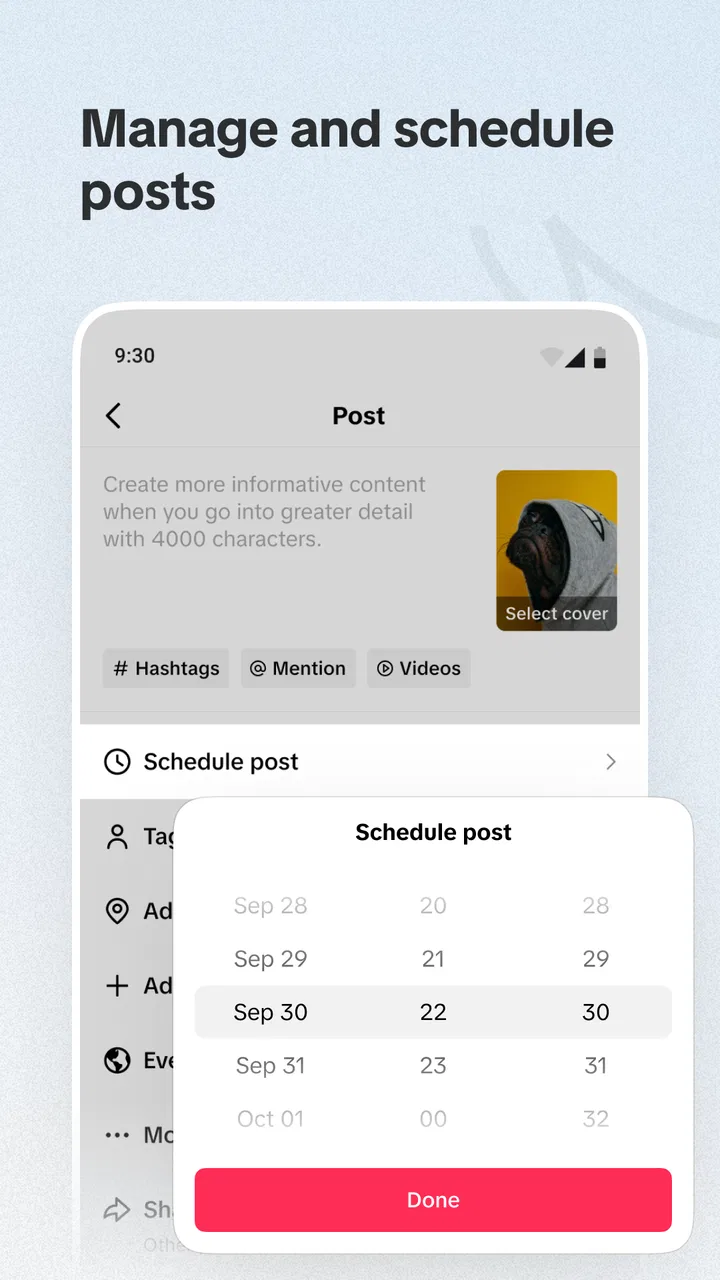
I also like the way the app encourages a complete publishing habit. A creator is not only making a video; they are choosing a caption, deciding when to share it, checking how people respond, and learning which ideas deserve another attempt. Keeping those stages close together is more valuable than having a long list of isolated editing effects. In my experience, the best benefit is not a single spectacular tool but the reduction of small interruptions between planning and publishing.
That makes it particularly suitable for a small creator who handles everything alone. Imagine someone who records quick cooking clips after work. They can prepare a short recipe video, publish it, return later to see whether viewers stayed interested, and use that response when planning the next clip. The app does not turn a casual account into a professional production studio, but it can make a repeatable routine easier to maintain.
Another useful point is the connection between editing and judgment. Many mobile editors are excellent at trimming footage, adding transitions, or making a clip look polished. They are less helpful when the real question is whether the finished video is worth publishing, how it fits an account’s direction, or what to do after it goes live. TikTok Studio is more relevant to those decisions because it is built around TikTok publishing rather than around video editing in isolation.
A workflow that suits one-person accounts
I would start by deciding what the account is trying to offer before opening the editor. A recognizable theme—such as budget meals, language practice, local walks, or simple product demonstrations—makes the app’s creator tools more useful because each post can be judged against a clear purpose. Without that discipline, it is easy to produce many clips without learning anything from them.
For a practical workflow, I would prepare a small group of ideas, create the strongest one first, and avoid changing direction every time a post performs differently. After publishing, I would review the response as feedback rather than as a verdict on personal ability. The app is most helpful when it supports this cycle: make a focused video, publish it, observe the result, and adjust one element in the next attempt.
A less obvious advantage is that this approach can protect creative energy. When all creator tasks are mixed into the same environment as entertainment, the boundary between working and browsing becomes weak. Opening a more creator-centered app gives me a psychological signal that I am there to finish a task. That will not matter to everyone, but it can help people who repeatedly intend to post and then get distracted.
It is also useful for creators who need a quick check before sharing. I would use it to review whether the opening moments make the subject clear, whether the caption matches the actual clip, and whether the post belongs on the account at all. This sounds simple, but those checks prevent a common mistake: spending time polishing a video that has no clear reason to exist.
Editing convenience versus specialist software
The biggest comparison is with the usual alternatives. A creator can edit inside TikTok, use TikTok Studio for creator management, or move to a dedicated mobile editor with a broader collection of precision controls. I would not treat these choices as mutually exclusive. TikTok Studio makes more sense as part of a publishing workflow, while a specialist editor may remain preferable for layered projects, careful sound design, detailed timing, or a consistent visual style across many clips.
If I were making a spontaneous talking video, a short demonstration, or a simple vertical update, the focused workflow would be attractive. If I were assembling several camera angles, matching cuts to a detailed soundtrack, or preparing the same master video for multiple platforms, I would want more control than a TikTok-centered tool is likely to provide. In that situation, editing elsewhere first can be the better choice, with TikTok Studio used for the publishing side.
This is an important trade-off. Convenience is not the same as creative depth. An app that reduces friction may still be the wrong choice for someone who wants a full timeline, extensive asset organization, or a production process independent of one social network. I would rather keep that limitation visible than pretend one mobile app can replace every part of a serious video workflow.
Who benefits most from the app
The strongest audience is the active TikTok creator who wants a central place for regular posting. That includes a person building a niche account, a small business owner demonstrating products, a teacher sharing short explanations, or a hobbyist documenting a project. These users benefit from thinking beyond individual clips and paying attention to the relationship between publishing and future content.
It can also suit people who find the main TikTok experience too distracting for administrative work. If checking a post usually turns into a long viewing session, separating creator tasks from casual browsing can be a real improvement. I would especially recommend it to anyone who has ideas ready but struggles to turn them into a consistent posting rhythm.
The app is less compelling for a viewer who never uploads anything. Installing a creator-focused tool simply to watch videos would add little value compared with the ordinary TikTok experience. It is also not my first recommendation for a filmmaker, editor, or agency that needs advanced control, detailed file management, or a platform-neutral workflow. Those users may be happier with a dedicated editor and a broader publishing setup.
New creators should also keep expectations realistic. TikTok Studio can organize the work around a TikTok account, but it cannot supply a strong idea, a clear voice, or a reliable reason for viewers to return. A polished interface will not compensate for unclear subjects or inconsistent posting. I would use the app to support a content plan, not as a substitute for one.
Everyday use, account decisions, and practical friction
In daily use, I would open it with a specific job in mind: prepare a clip, publish something already finished, or inspect how recent content is doing. That simple habit matters because creator apps can become cluttered with half-finished ideas and impulsive changes. I recommend keeping a short list of intended posts outside the app, then using TikTok Studio to execute the next step rather than endlessly reorganizing the whole account.
One useful tactic is to compare posts by purpose instead of comparing everything at once. A tutorial, a personal update, and a quick reaction should not be judged by exactly the same standard. If a tutorial receives fewer visible reactions but leads to more meaningful interest from the intended audience, it may still be doing its job. The app can support review, but the creator still has to decide what success means.
Another practical tip is to change only one variable when learning. If I alter the topic, opening, length, caption, and posting routine simultaneously, any result becomes difficult to interpret. A better experiment is to keep the subject familiar while changing the opening line, or keep the format stable while testing a different explanation. This turns the app’s feedback into something more useful than a stream of distracting numbers.
The meaningful weakness is that a creator-centered workflow can encourage over-analysis. It is easy to watch performance too closely and let early reactions dictate every creative decision. That can lead to repetitive posts, safe ideas, and burnout. I would set a review point after publishing, learn one lesson, and then return to making the next video instead of constantly refreshing the previous one.
There is also a dependence issue. TikTok Studio is valuable precisely because it is tied to TikTok, but that same focus makes it less suitable for creators who want one neutral dashboard for several social networks. If your routine includes multiple platforms, you may still need separate tools and a manual system for keeping captions, files, and publishing plans consistent. TikTok Studio improves one part of the process; it does not make a multi-platform workflow disappear.
Compatibility is relatively approachable for Android users because the app supports Android 6.0 and later. It is free to use, carries a Teen content rating, and was released on May 28, 2024. The current version is 41.9.3, so I would keep the app updated through the normal store process, particularly if creator tools are central to your routine. The age rating is worth noting for families: this is not merely a neutral file editor, because its purpose is connected to publishing on a social video platform.
What its popularity suggests—and what it does not
The app has reached over 50 million installs, with an average rating of 4.6 from around 425 thousand ratings and roughly 4.8 thousand written reviews. Those figures suggest that it has attracted substantial interest and that the overall reception is strong. I would still treat them as context rather than proof that every creator will enjoy it, because the right experience depends heavily on whether someone wants TikTok-specific publishing help or a general-purpose editor.
For me, the more important question is whether the app fits the user’s actual bottleneck. If the problem is distraction, scattered creator tasks, or a lack of a repeatable publishing routine, TikTok Studio addresses a genuine need. If the problem is advanced editing, cross-platform delivery, or a weak content idea, it will not solve the underlying issue. Choosing it should begin with that distinction.
I also appreciate that its value grows with consistency. A person who posts once every few months may not notice much difference. Someone who publishes regularly can benefit from having a dedicated place to prepare, release, and reflect on content. That is why I would recommend trying it for a defined period with a simple goal, such as maintaining a realistic posting schedule or learning from a specific type of video, rather than judging it after one upload.
My verdict for creators deciding whether to install
TikTok Studio is a focused creator companion, not a universal replacement for TikTok or professional editing software. Its strongest quality is the way it brings TikTok-oriented creation and publishing closer together, which can help solo creators work with more intention. The app is free, accessible on older Android versions, and backed by a large user base, but its usefulness depends on being an active publisher rather than a passive viewer.
I would recommend it to creators who want less distraction, a clearer publishing routine, and a better connection between making a video and learning from what happens afterward. I would skip it if I only wanted to watch content, if I needed a platform-neutral control center, or if my projects required the depth of a specialist editor.
My final view is positive but measured. TikTok Studio does not replace creativity, planning, or technical judgment, and it can tempt users into spending too much time studying performance. Used with boundaries, however, it makes the everyday work of a TikTok creator more organized. For someone who already has ideas and wants to turn them into a steadier publishing habit, this is a worthwhile free addition to the Android creator toolkit.
FAQs for TikTok Studio
01What is TikTok Studio and how does it differ from the main TikTok app?
TikTok Studio is a specialized app designed for creators who want to enhance their video editing capabilities. Unlike the main TikTok app, which focuses on video sharing and social interaction, TikTok Studio offers advanced editing tools, effects, and features tailored for professional-level video production. This makes it ideal for users looking to elevate their content creation.
02What editing features are available in TikTok Studio?
TikTok Studio provides a suite of advanced editing tools that include multi-layer editing, transitions, special effects, and audio enhancements. Users can also find customizable templates, filters, and AI-driven tools to streamline the editing process. These features are designed to give creators more control and flexibility when producing high-quality content.
03Is TikTok Studio free to use, or does it require a subscription?
TikTok Studio offers a free version with basic features, but for access to its full suite of professional editing tools, users may need to subscribe to a premium plan. The subscription unlocks additional features like exclusive effects, higher quality exports, and more. It's important to check within the app for specific pricing and subscription options.
04Can I use TikTok Studio on both Android and iOS devices?
Yes, TikTok Studio is available on both Android and iOS platforms. Users can download the app from Google Play Store for Android devices and the Apple App Store for iOS devices. However, it's essential to ensure your device meets the app's system requirements to take full advantage of its features.
05Does TikTok Studio support collaboration with other creators?
TikTok Studio allows users to collaborate with other creators by offering features like shared projects and collaborative editing. Users can invite others to contribute to a project, making it easier to work together on content creation. This feature is particularly beneficial for teams or creators looking to produce joint videos and share creative ideas.
Pros
- User-friendly interface for quick edits.
- Wide range of filters and effects.
- Direct sharing to social media.
- In-app tutorials for beginners.
- Supports high-resolution exports.
Cons
- Requires a stable internet connection.
- May drain battery quickly.
- Some features need in-app purchases.
- Limited options for advanced editing.
- Can consume significant storage space.

TikTok Studio
Gallery